HP JOA (IT)
Syllabus for the post of HP JOA (IT)
Subjects As Per Essential Qualification
A. COMPUTER
I. Fundamentals Of Computer:
Definition & Characteristics of Computer History & Generation of Computers Types of Computers (Analog, Digital, Hybrid) Classification by Size (Micro, Mini, Mainframe, Super) Basic Computer Organization Block Diagram of Computer :Input → Process → Output concept Applications of Computer in Daily Life.
II. Computer Hardware:
Input Devices — Keyboard, Mouse, Scanner, Microphone, Webcam, Light Pen. Output Devices — Monitor, Printer, Speaker, Projector. Types of Printers (Inkjet, Laser, Dot Matrix) System Unit — CPU, Motherboard CPU Components — ALU, CU, Registers Primary Memory — RAM & ROM (Types) Secondary Storage — HDD, SSD, Pen Drive, CD/DVD Memory Units — Bit, Byte, KB, MB, GB, TB.
III. Computer Software:
Definition & Need of Software Types of Software — System Software (OS, Device Drivers, Utilities) Application Software (Word
Processor, Spreadsheet, etc.) Programming Language Software High Level Language, Assembly Level Language, Machine Level Language Difference between Hardware and Software Freeware, Shareware, Open Source Software Software Installation & Licensing Basics.
IV. Operating System:
Definition & Functions of Operating System Types of OS — Single User, Multi User, Multitasking, Time Sharing Popular Operating Systems — Windows, Linux, MacOS, Android Windows Basics: Desktop, Taskbar, Start Menu, Icons File & Folder Management, Control Panel Settings Recycle Bin, Shortcut Keys Booting Process (Cold Boot & Warm Boot) Basic DOS Commands (Internal & External).
V. Microsoft Office
- MS Word
Definition & Functions of Operating System Types of OS — Single User, Multi User, Multitasking, Time Sharing Popular Operating Systems — Windows, Linux, MacOS, Android Windows Basics: Desktop, Taskbar, Start Menu, Icons File & Folder Management, Control Panel Settings Recycle Bin, Shortcut Keys Booting Process (Cold Boot & Warm Boot) Basic DOS Commands (Internal & External).
- MS Excel
Features and benefits of Spreadsheet, Workbook & Worksheet Concepts Entering & Editing Data, Cell/Row/Column Operations Functions: Mathematical, Statistical, Logical & String Function Cell Formatting & Borders Charts & Graphs, Pivot Table, Goal Seek, Scenario Sorting & Filtering Data, Print Area & Page Setup.
- MS PowerPoint
Creating & Saving Presentation, Adding Graphics, Multimedia Slide Layout & Design Themes Inserting Text, Images, Tables Slide Transitions & Animations Effects Slide Master, Hyperlinks and Action Button Slide Show View, Printing Slides & Handouts.
VI. Internet & Networking:
Definition & Uses of Internet, History of Internet WWW, Website, Web Page, Web Browser Popular Browsers (Chrome, Firefox, Edge) URL, HTTP, HTTPS, IP Address, Domain Name Search Engines ,Emails,Social Media Basics Types of Networks — LAN, MAN, WAN Network Devices — Router, Modem, Switch, Hub Wired vs Wireless Networks, ISP (Internet Service Provider).
VII. Cyber Security & Digital Literacy:
Computer Virus, Worm, Trojan Horse Antivirus Software & Firewall Types of Cyber Crimes Safe Internet Browsing Practices Password Security & Data Protection Phishing & Spam Awareness Digital Payments Basics (UPI, Net Banking, e-Wallet) e-Governance & Government Online Services Cloud Computing (Basic Concept) Digital Footprints, Intellectual Property Rights.
VIII. Number System:
Different Number System The Decimal Number system The Binary Number System The Octal Number System The Hexadecimal Number System All Conversion between Number System ASCII Code Basic Logic Gates.
IX. DBMS: Introduction to Database:
DBMS purpose and advantages of DBMS, disadvantages Comparison between traditional file systems and DBMS. Data independence (logical and physical) Three-level architecture of DBMS. Entity, Tuple, Attribute, Domain, Degree, Cardinality, and different types of keys. Overview of MySQL, features of MySQL, uses of MySQL, Creating database, selecting database, deleting database, showing databases, data types, constraints. SELECT statement, WHERE clause, relational operators, logical operators, sorting data (ORDER BY), removing duplicate records (DISTINCT).
X. WEB Technologies:
Definition & Functions of Operating System Types of OS — Single User, Multi User, Multitasking, Time Sharing Popular Operating Systems — Windows, Linux, MacOS, Android Windows Basics: Desktop, Taskbar, Start Menu, Icons File & Folder Management, Control Panel Settings Recycle Bin, Shortcut Keys Booting Process (Cold Boot & Warm Boot) Basic DOS Commands (Internal & External).
- HTML Introduction:
Structure of HTML Program, Heading Styles, Text Styles, Lists : ordered and Unordered Lists Adding Images, Creating Tables Hyperlinks (internal & external) Form tags and its elements.
- Introduction to PHP:
Important tools and software requirements (like Web Server, Database, Editors etc.) Scope of PHP, basic syntax, PHP variables and constants, data types, Expressions, PHP operator precedence and associativity. Control statements (conditional statements, switch case, loops, break & continue) Handling HTML form using various form control with PHP, PHP Functions: Function, Need of Function, declaration and calling of a function, call by value & call by reference. Arrays, Strings, Regular Expression.
B. MATHEMATICS:
Number System, Profit & Loss, Simplification, Simple & Compound
Interest, Percentage, Time & Work, Ratio & Proportion, Time-Speed & Distance, Average,
Data Interpretation, Algebra, Mensuration.
General Awareness
i. General knowledge:
General Knowledge including General knowledge of Himachal
Pradesh.
ii. Current Affairs
iii. Everyday Science
iv. Logical Reasoning
V. English
Reading Comprehension Word Power, The Sentence, Subject And Predicates , Articles, Number, Gender, Punctuation, Comprehension, Noun, Pronoun, Verb, Finite and Non-finite Verb, Adverb, Adjective, Preposition, Conjunction, Interjection , Error Correction, Sentence Rearrangement, Vocabulary, Antonyms, Synonyms, Tenses, Subject-Verb Agreement, Idioms, Modals, Active Voice & Passive Voice, Change the narration: Direct and Indirect, Phrases and a Clauses , One word substitution, Transformation of Sentences.
vi. हिन्दी भाषा
व्याकरण एवं लिपि का परिचय; वर्ण विचार एवं आक्षरिक खण्ड; शब्द विचार
(क) परिभाषा के आधार पर (तत्सम्, तद्भव, देशज, विदेशी), रचना के आधार पर, प्रयोग के आधार पर, अर्थ के आधार
पर।
(ख) विकारी— संज्ञा, सर्वनाम, क्रिया, विशेषण; अविकारी— क्रिया-विशेषण, सम्बन्ध बोधक, समुच्चय बोधक,
विस्मयादि बोधक; पद परिचय; शब्द शक्तियां; शब्द रूपान्तर— लिंग, वचन, कारक, काल, वाच्य; संधि; समास;
उपसर्ग; प्रत्यय; वाक्य विचार, अर्थ विचार (पर्याय, विलोम, वाक्यांश के लिए एक शब्द, समानार्थी); विराम चिन्ह;
शुद्धिकरण (शब्द शुद्धि, वाक्य शुद्धि); मुहावरे एवं लोकोक्तियां; अलंकार।
Explore Complete Course Details
Discover detailed syllabus, important topics, and comprehensive study resources designed to support your preparation and help you achieve your learning goals successfully.
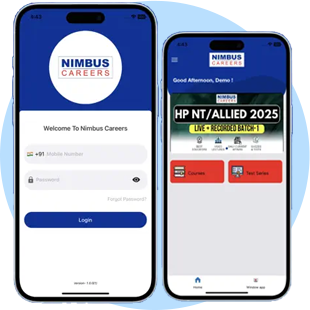
Nimbus Careers Mobile App
Learn smart, learn fast—online learning at your fingertips.